Dictating a task is easy. How do you make it clear to someone else?
TasksNet · Updated
Do you enjoy typing a detailed task on a small phone? I find it much more natural to say what needs doing. But after dictation, another question remains: will the person receiving the task understand everything?
Watch the workflow
AI helps when you can think through the task together
What result do you need? In which format? What will ‘done’ mean? You can know the rules of good task writing and still miss a question in a hurry, especially when the idea comes while you are out with only your phone.
An AI you can discuss the task with helps here. It can clarify wording, suggest structure and highlight questions to resolve early. Speak in your own words, review the assistant’s proposal and hand your colleague a clear brief.
Let’s continue organising the meetup. Anya handles arrangements and Ilya prepares the poster. We will follow the whole journey from a voice message to checking the result: capture the thought first, then add the detail it needs.
1. Tell the bot what needs doing
Open your private chat with TasksNet and record: ‘Prepare a poster for the meetup. We need portrait and square versions, with the date, venue and registration link. Deadline: 23 October, 17:00.’
The bot proposes an editable draft. Check the title, description and date, correct any recognition mistakes, then confirm creation.
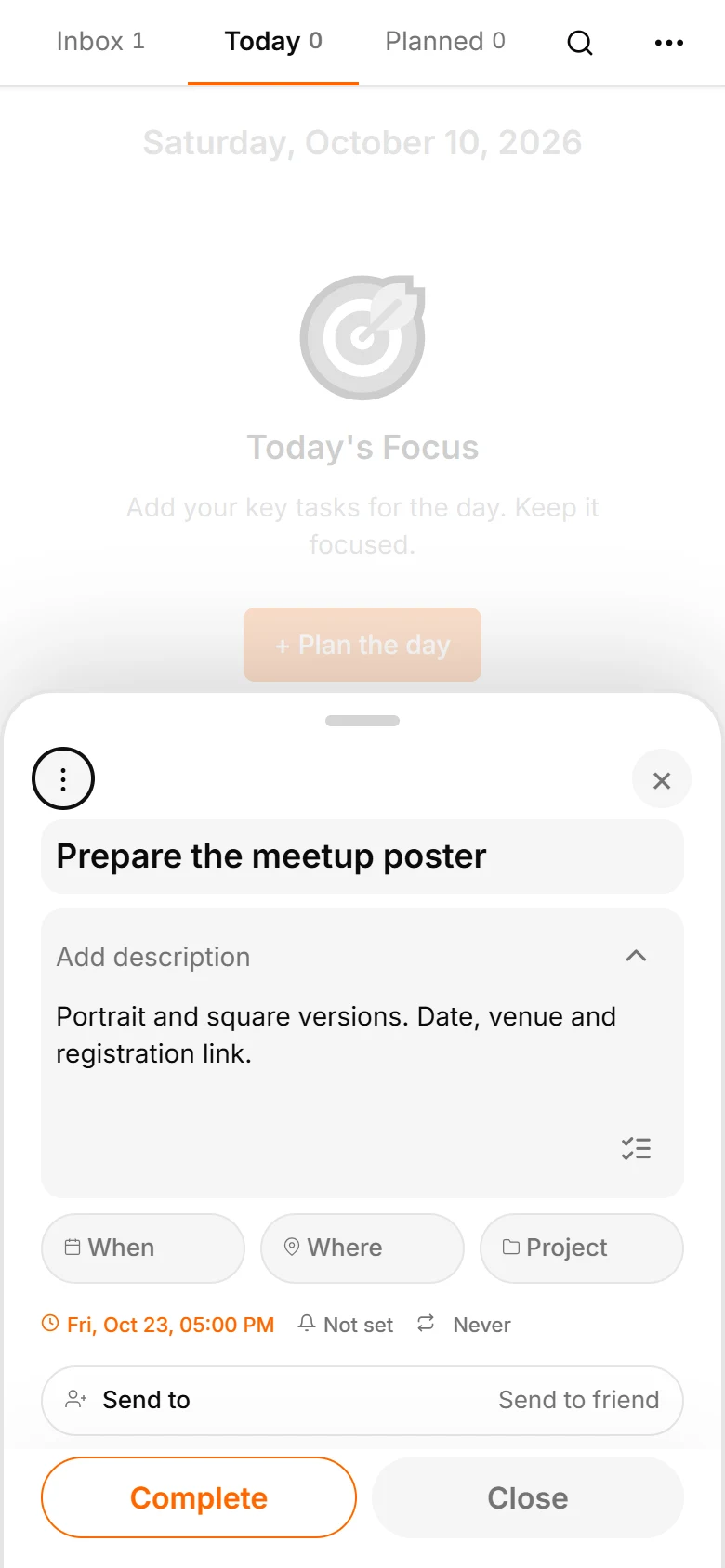
Open the task. It already has a foundation: two versions, key information and a deadline. Clarify the brief before handing it over.
Dictate both the action and the result. ‘Prepare two poster versions’, ‘collect questions about the contract’ or ‘agree a time to view the venue’ says more than a general reminder. State a date if you know it; leave it open if you do not. In the draft, check that both versions were captured and the month was recognised correctly.
2. Make the brief specific with the assistant
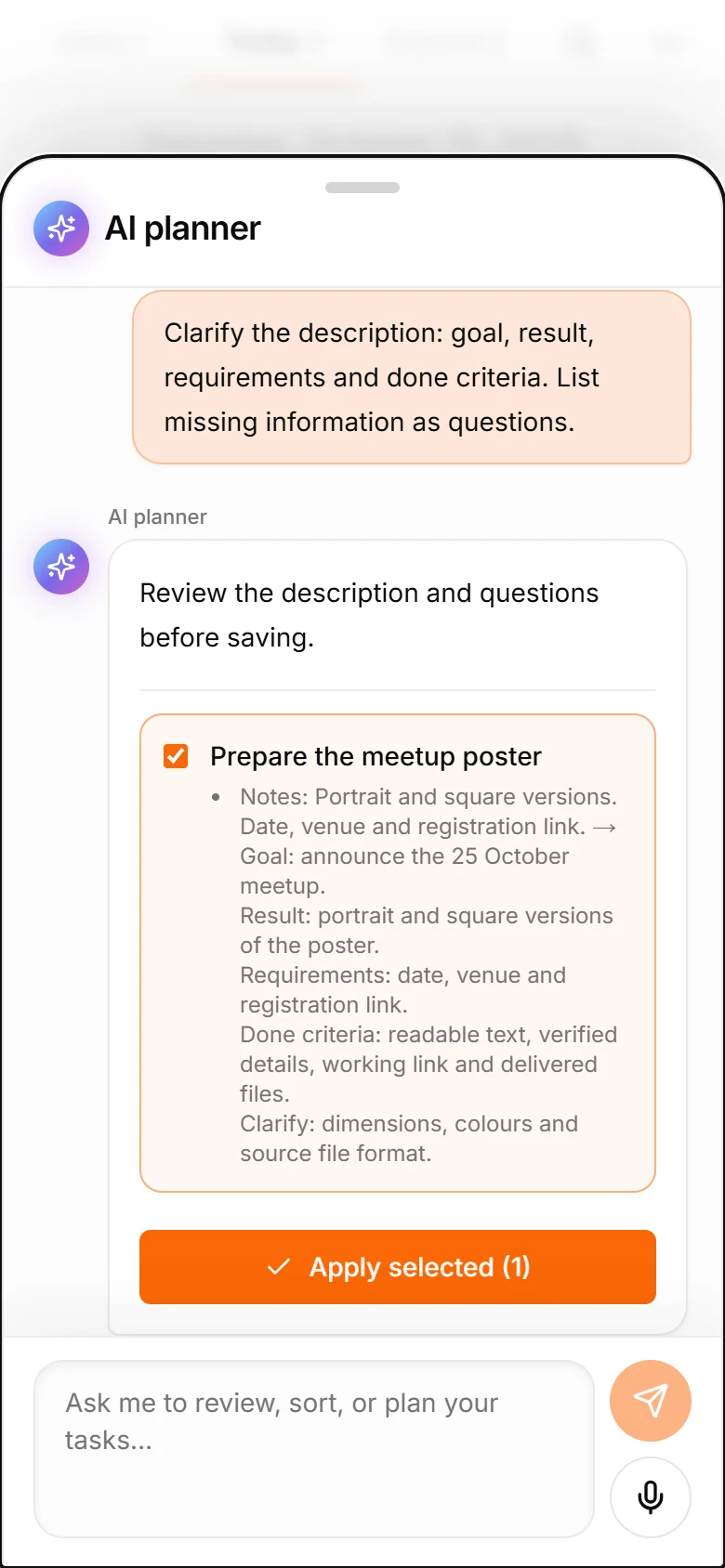
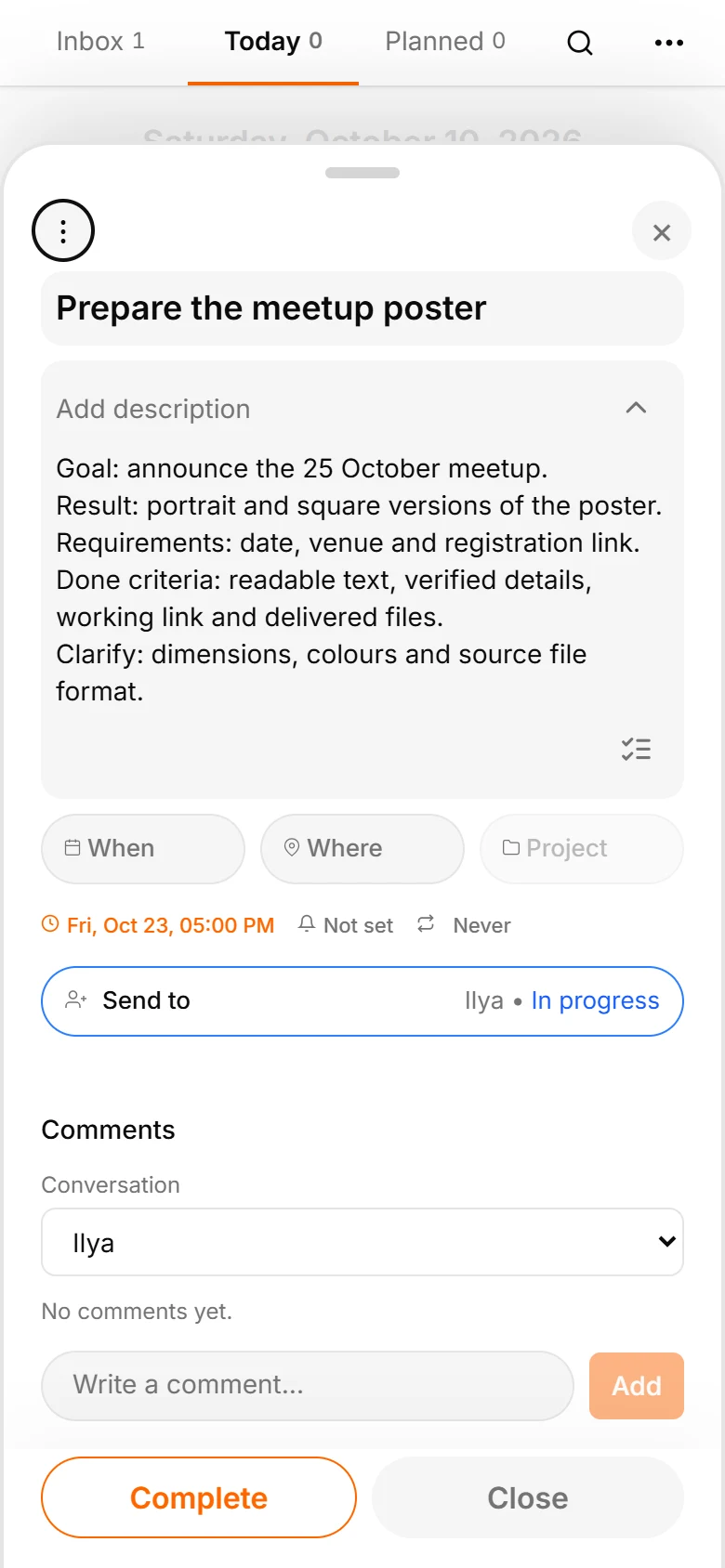
Close the task card and open the assistant. Name the task and ask: ‘Clarify “Prepare the meetup poster” using goal, result, requirements and done criteria. Put missing information into questions.’
AI proposes the goal of announcing the event, a result of two poster versions, required date, venue and registration link, and done criteria: readable text, checked details and delivered files.
Dimensions, brand colours and editable source format become questions to resolve before Ilya produces the wrong result. Review and apply the proposal.
Suppose the event date is known but the venue address is not confirmed. Keep a question about checking the address before publication. If there is no registration URL yet, do not insert a random one. The assistant helps expose missing details so you can decide who will add them. A good brief is understandable even to someone who was not in the original conversation.
3. Hand the task to a colleague
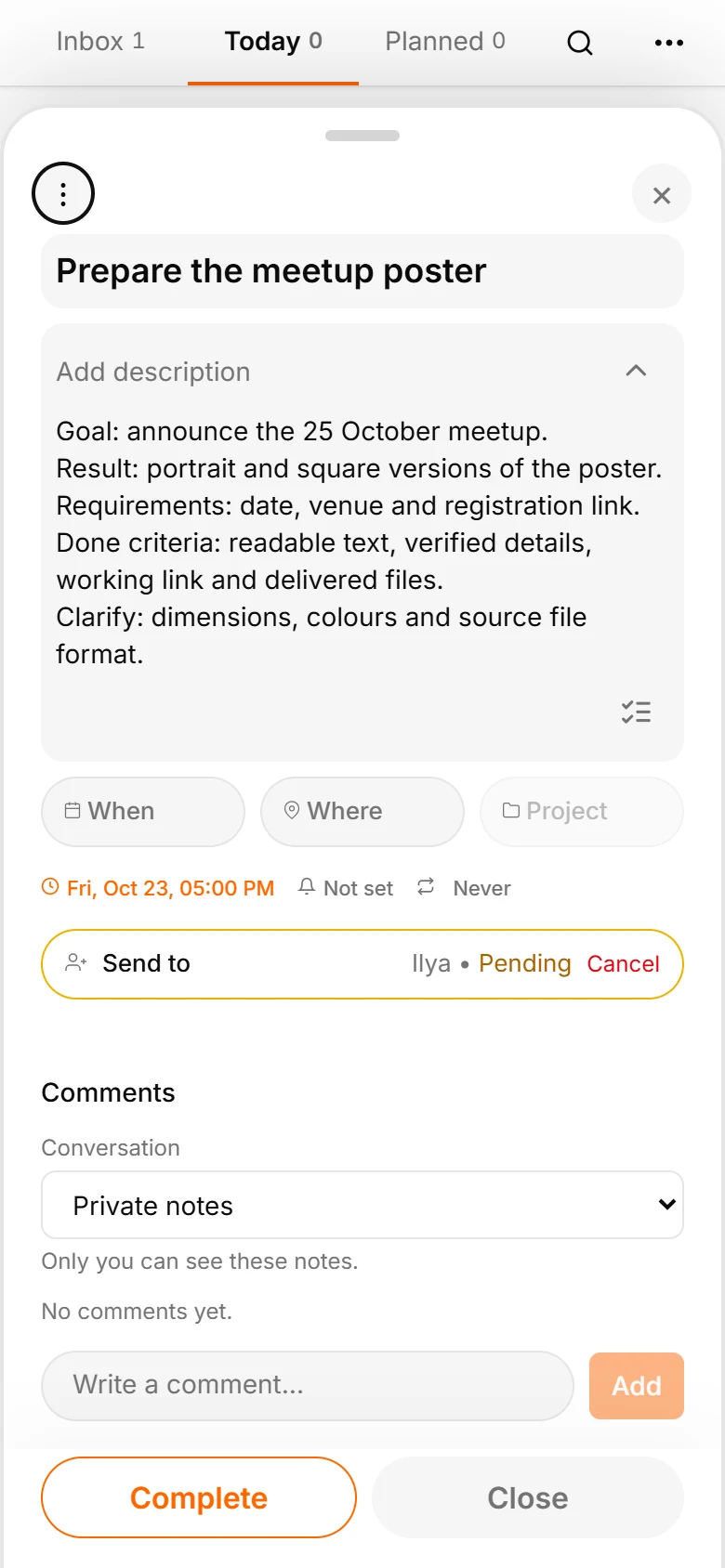
Choose sharing, select Ilya from your contacts and send the task. Anya sees it is waiting for acceptance. Sending a request does not yet mean someone has taken responsibility.
Both people are already TasksNet users with Premium. If the colleague is not in your contacts, invite them first rather than guessing a username.
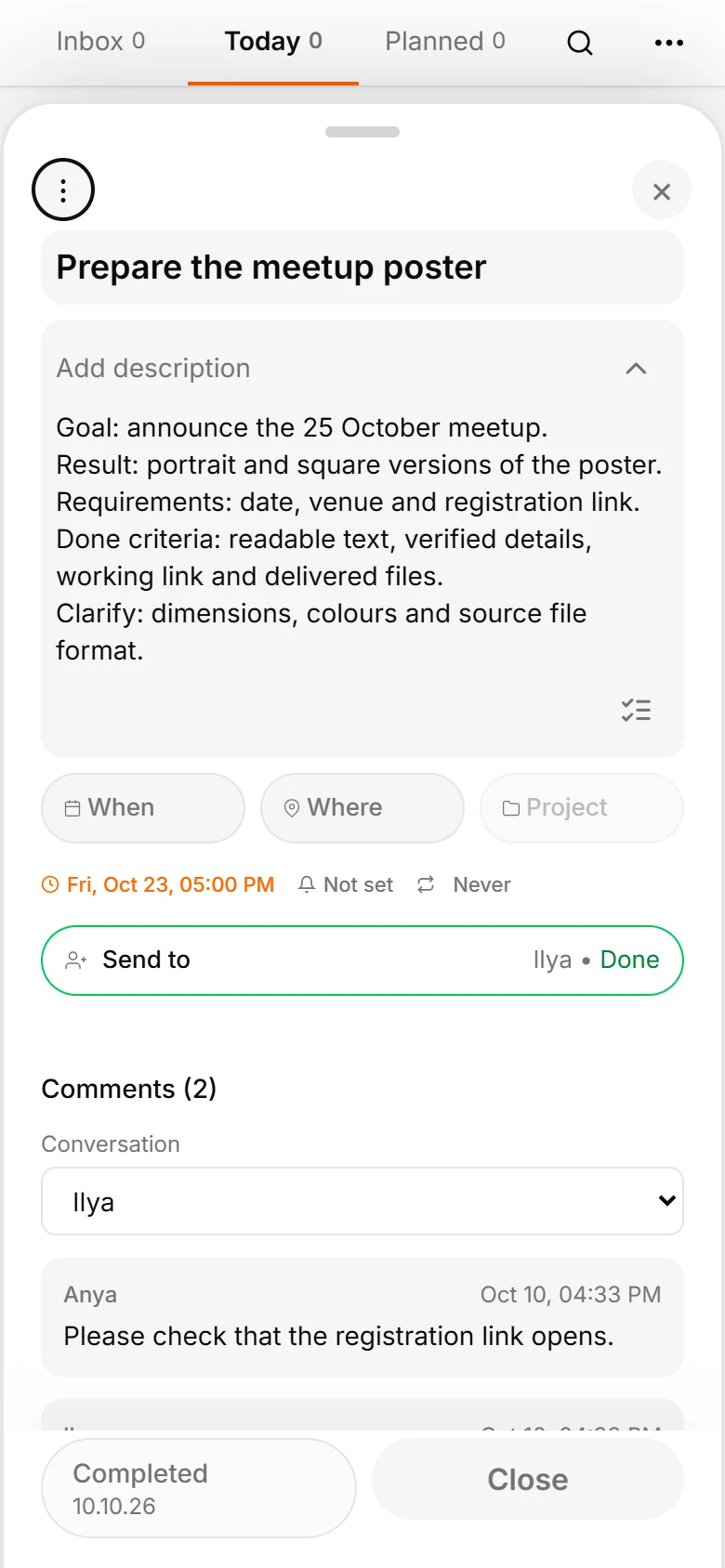
Ilya accepts. An independent task appears in his Inbox. He can plan it, edit the description and choose when to work on it.
Acceptance matters: the recipient has seen the request and agreed to it. The author gets a clear signal that the work has been taken on.
4. Each person plans their part
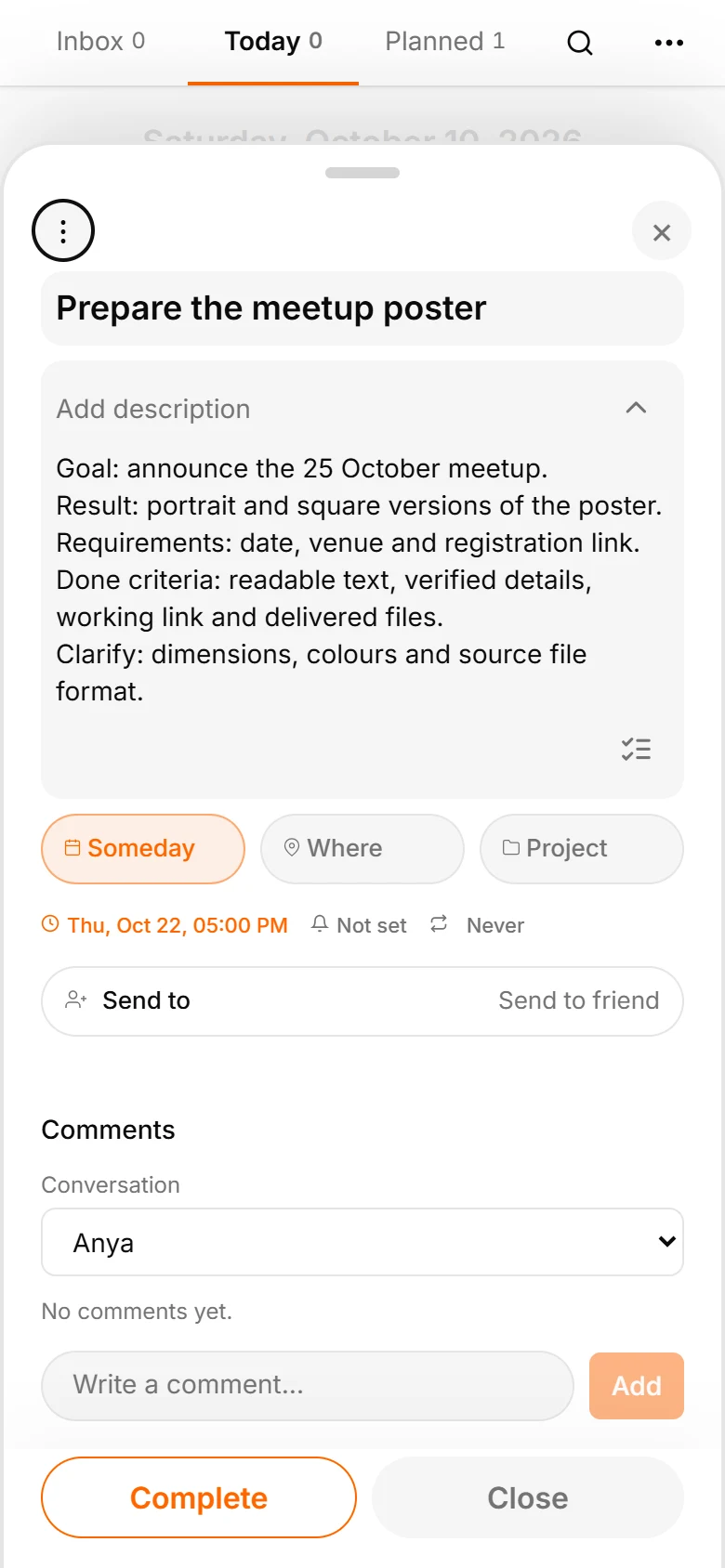
Ilya sees the task in Inbox alongside his usual work. He opens it, sets a deadline of 22 October and places it in Someday. Its planning section will become more urgent as the deadline approaches.
Anya keeps 23 October for checking and publishing; Ilya needs 22 October to prepare the files. These are two independent deadlines. Changing one does not replace the other.
If you need one shared task with a common deadline, use a project, as the next article shows. A personal handoff separates doing the work from reviewing it.
Use comments for changes and questions. If the start time changes to 18:00, write that both versions need updating and put the final requirements in the description. The shared thread preserves why the task changed.
5. Keep questions beside the task
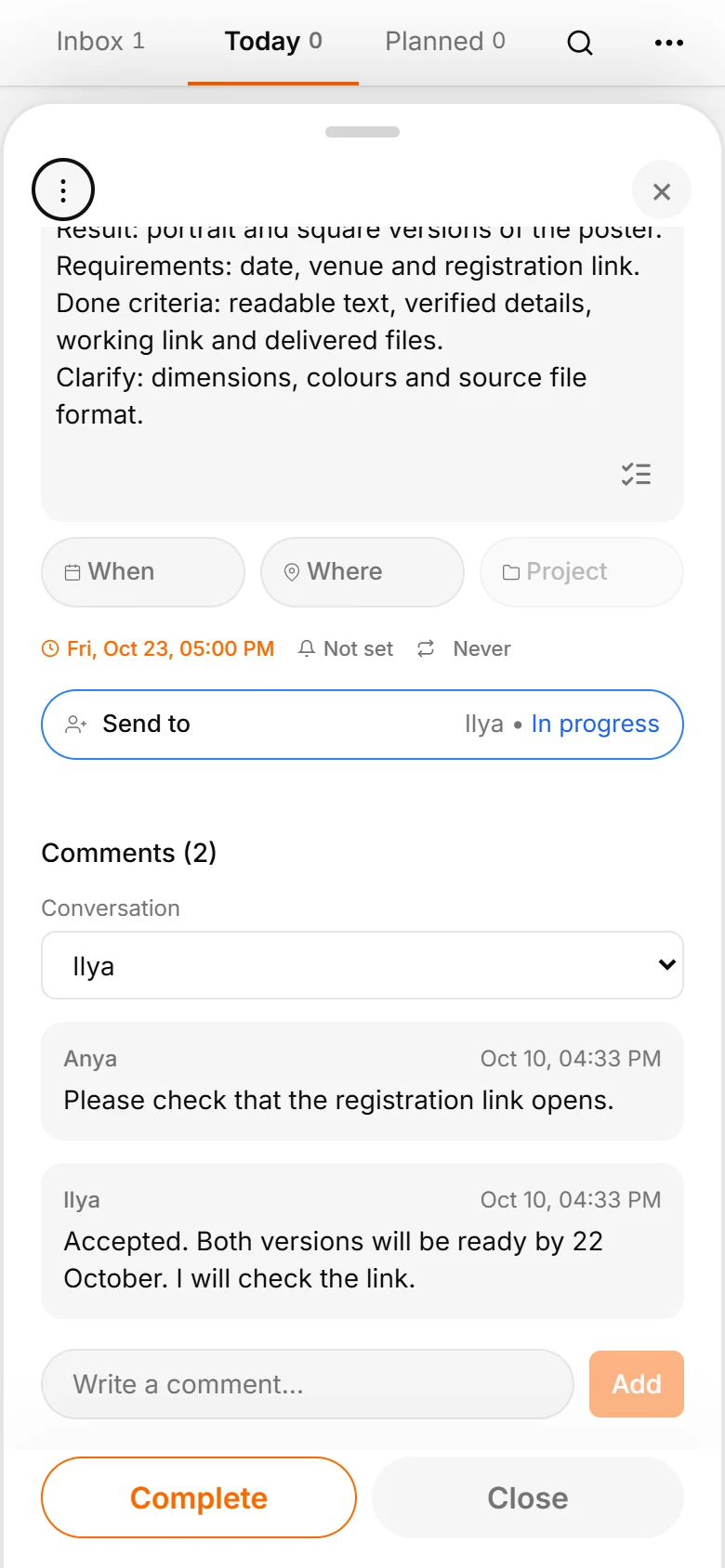
Anya writes: ‘Please check that the registration link opens. If you need any materials, ask here.’ Ilya replies: ‘Accepted. Both versions will be ready by the 22nd. I will check the link.’
Once a personal handoff is accepted, both people use the shared comment thread. A Telegram notification leads back to the task, with the file and deadline context still available.
Ask a concrete question: ‘Is the portrait version ready?’ or ‘Can you check the link today?’ gives someone a clearer next step than ‘How is it going?’
6. Check the result and finish your task
Ilya completes his task. Anya gets a notification and sees the changed handoff status. She opens the materials and checks both versions, the date and registration link.
After review, Anya completes her own task. If anything needs fixing, she gives feedback in the same thread.
Try one handoff this way: dictate the foundation, ask AI to clarify the requirements, review them and send the task. You can feel both benefits: voice makes capture easier and the assistant makes the brief clearer.