Too many Telegram notifications? Review task changes when you have time
TasksNet · Updated
A colleague changes a deadline while you are travelling; another replies about delivery. You notice the messages but cannot act immediately. TasksNet Activity gives recent task changes a place you can review deliberately. The feed connects each event to its task, so you can recover the context before deciding what to do.
Turn interruptions into a review routine
Imagine a small studio preparing Saturday's order. Artwork was approved, packaging is delayed and the customer changed the collection time. Three separate notifications tell you that something happened. A review needs a different answer: which of these changes affects the order now?
Open the feed when you can concentrate. Use it to locate the relevant task and read the current details. A historical event describes a change; the task card shows the current state. Check both before replying, especially when the deadline or responsibility has changed again.
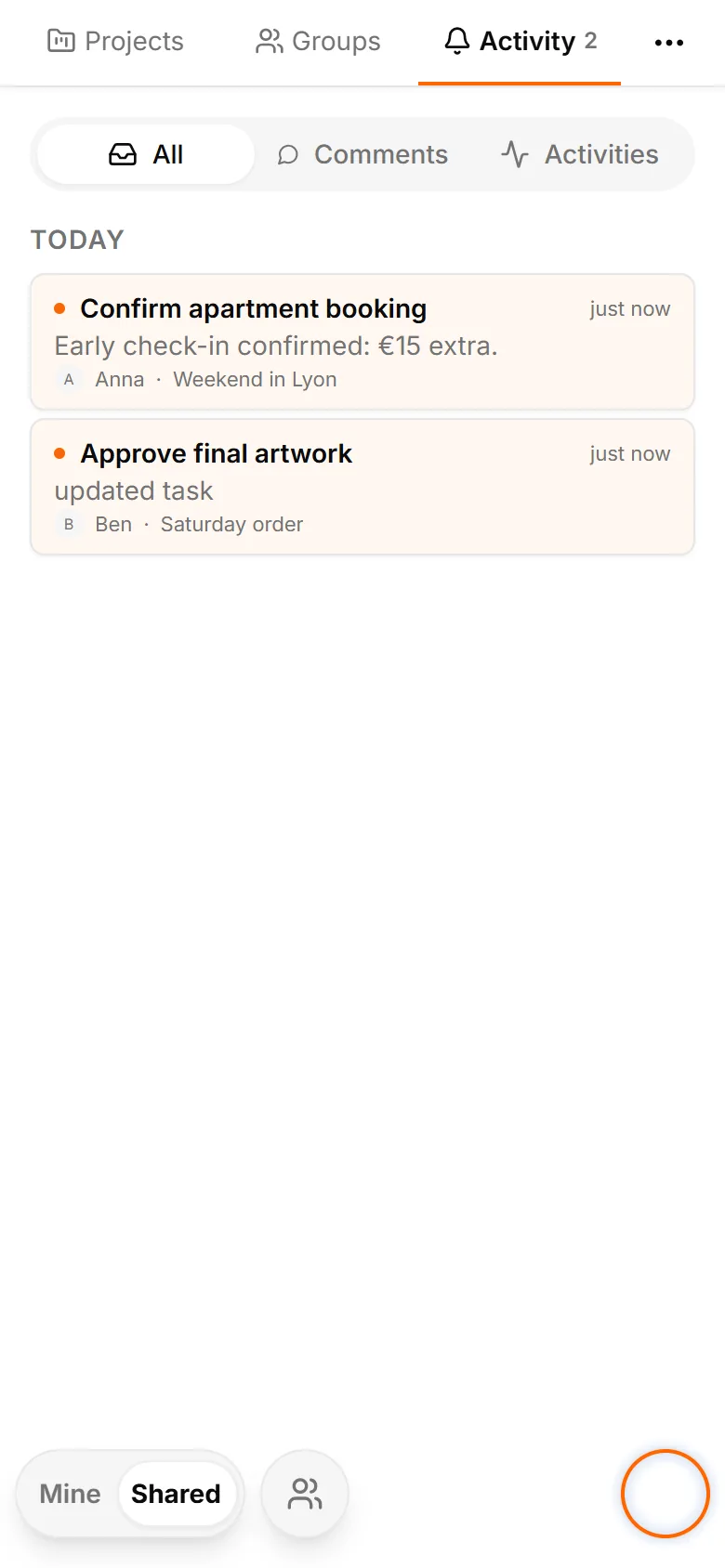
Open Shared and Activity
Go to Shared and open Activity. Review recent events and use the available filters to narrow the context. Reading the list, changing a filter or loading more items does not acknowledge every visible task automatically. You can browse first and choose what needs attention.
The feed keeps a recent six-calendar-day window. It is useful for current coordination, not a permanent audit archive. Review regularly if you want to follow a project's changes over time. The authorised project and task remain the places to inspect their current work.
Read the actual task or conversation
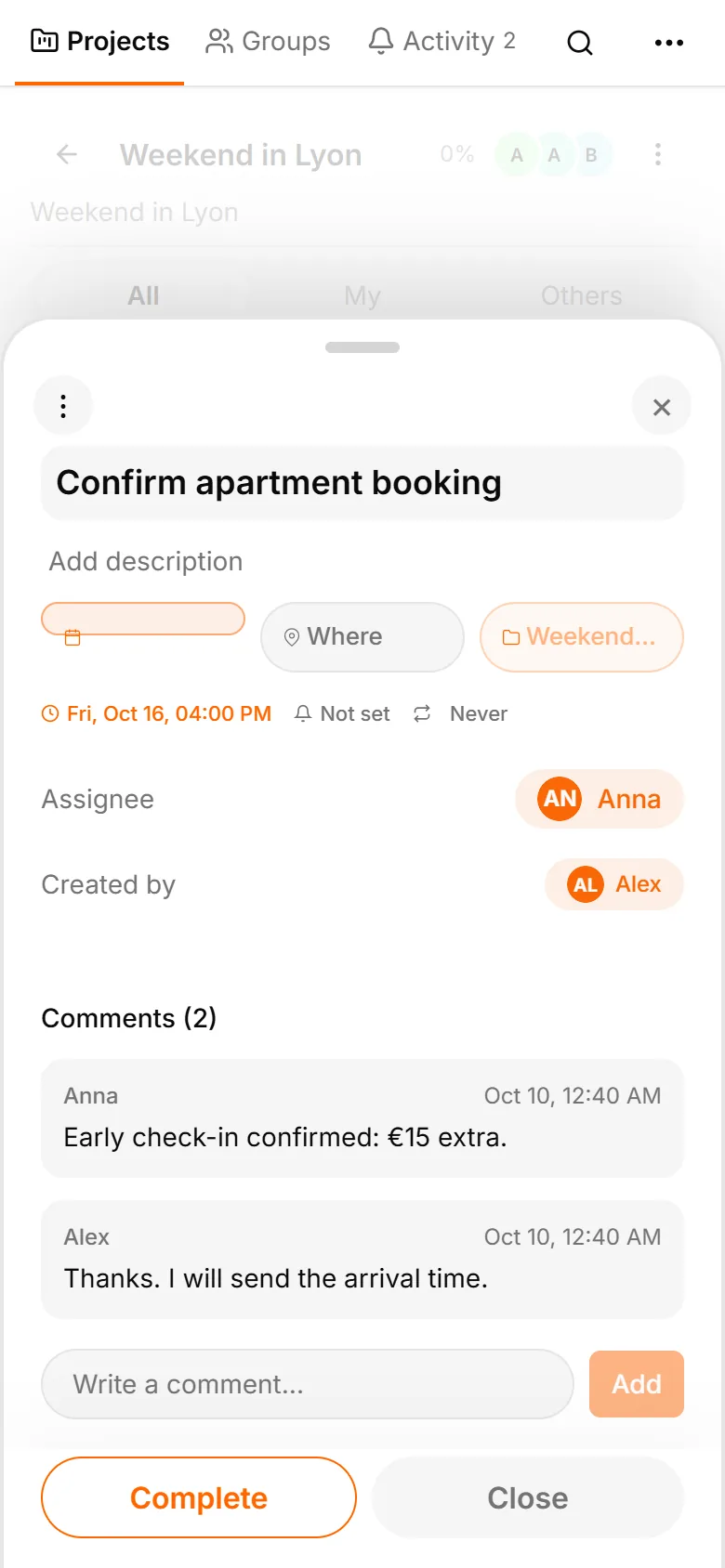
Open the event that needs a decision. For a comment, load the corresponding history in the task. Personal sharing may offer several conversations; choose the exact participant. The application does not combine one partner's comments with another partner's conversation.
For example, read Anna's question about the booking before replying. A separate exchange with Ben stays separate. A comment is acknowledged only after its actual history was loaded successfully. A failed request needs recovery; opening an empty or inaccessible context is not proof you read it.
Return to the feed with the new context
Events captured when you opened that task can become read as their details are viewed. An update arriving later stays unread for the next review. This prevents a new reply from disappearing into an acknowledgement of older events you were already inspecting.
If you lost access or loading failed, check the error and retry when appropriate. Do not treat a bot message as a read receipt. Informational Telegram notices provide a signal; the application's task and conversation view establish which event context you actually opened.
Choose a useful review interval
Try checking Activity before your team's morning review and once more before ending the day. Open changes that affect a decision, reply in the relevant task and update its current brief when the discussion resolves something. You can then return to your own actions in Mine.
Start with one shared project. Let notifications bring urgent changes to your attention, and let the feed support a calmer review. You get a current picture without needing to reconstruct every decision from the order of Telegram chat messages.