An important Telegram request got buried. Turn it into an action you can finish
TasksNet · Updated
“Please send the documents by Friday.” You read the message, planned to return to it that evening, then forgot it among newer conversations. Search can recover the text once you remember the request. A task helps you remember the action in the first place. TasksNet turns that request into an editable draft you can save, plan and finish inside Telegram.
Separate useful information from something you owe
Saved Messages is useful for addresses, photos and links. Promises can land there too: pay an invoice, reply to a customer, check a booking. They look alike even though they need different actions. Saving the message and deciding when to act are separate steps.
Suppose Marina sends a travel document list. Your next action is to send her your insurance scan; the hotel discussion can wait. Name the task “Send Marina the insurance scan”. “Travel” still leaves you the work of remembering what to do. A clear action has a result you can mark complete.
Forward the request and review the draft
Forward the message to your private conversation with the TasksNet bot. Open the editable draft in the Mini App and check its title, description and any interpreted date. If the message says “by Friday”, verify which Friday and the timezone. When the sender gave no deadline, decide whether one is actually needed.
Keep one action in the title and useful details in the description: a document list, reference number or link. Correct recognition mistakes before saving. Forwarding alone does not mean the request has become a final, planned task. Your confirmation completes that step.
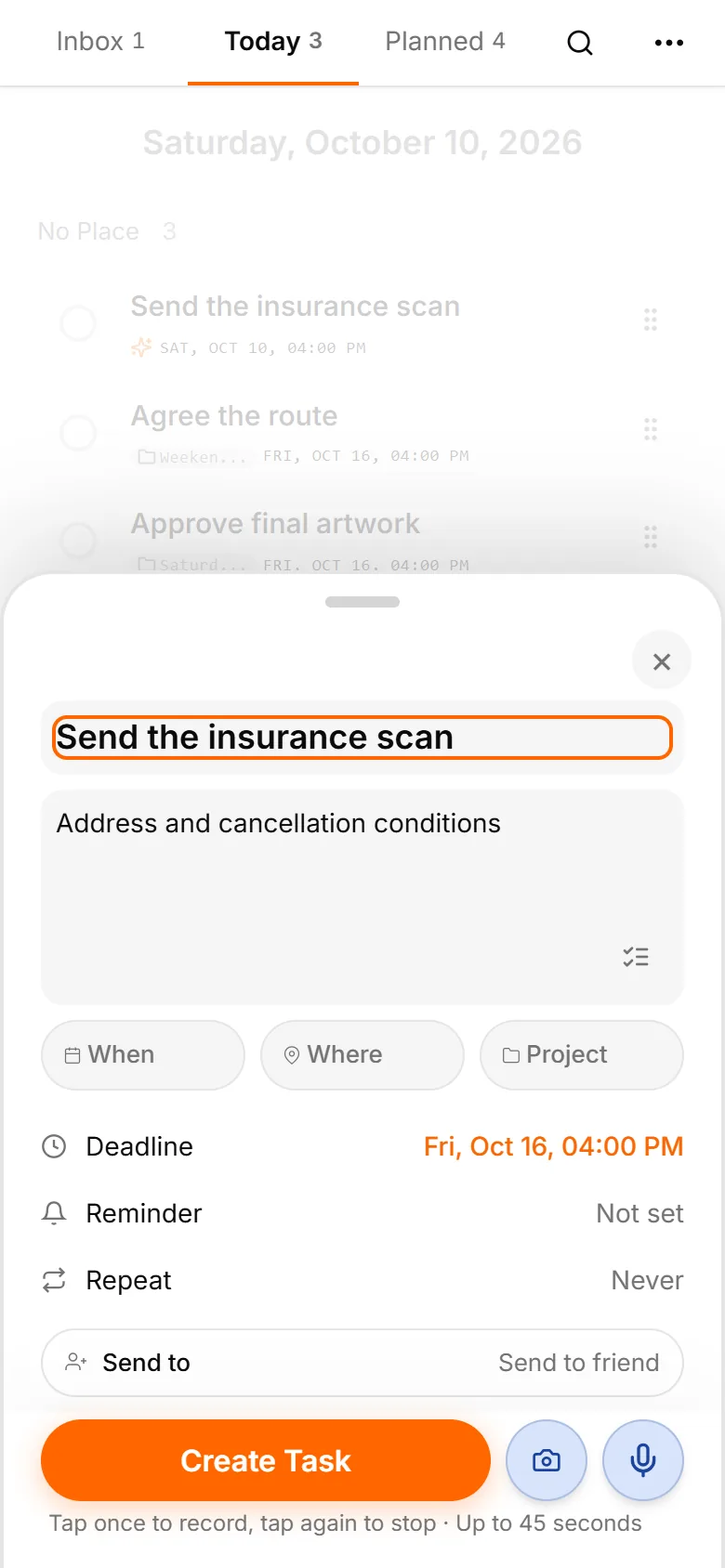
Capture now, plan during a short review
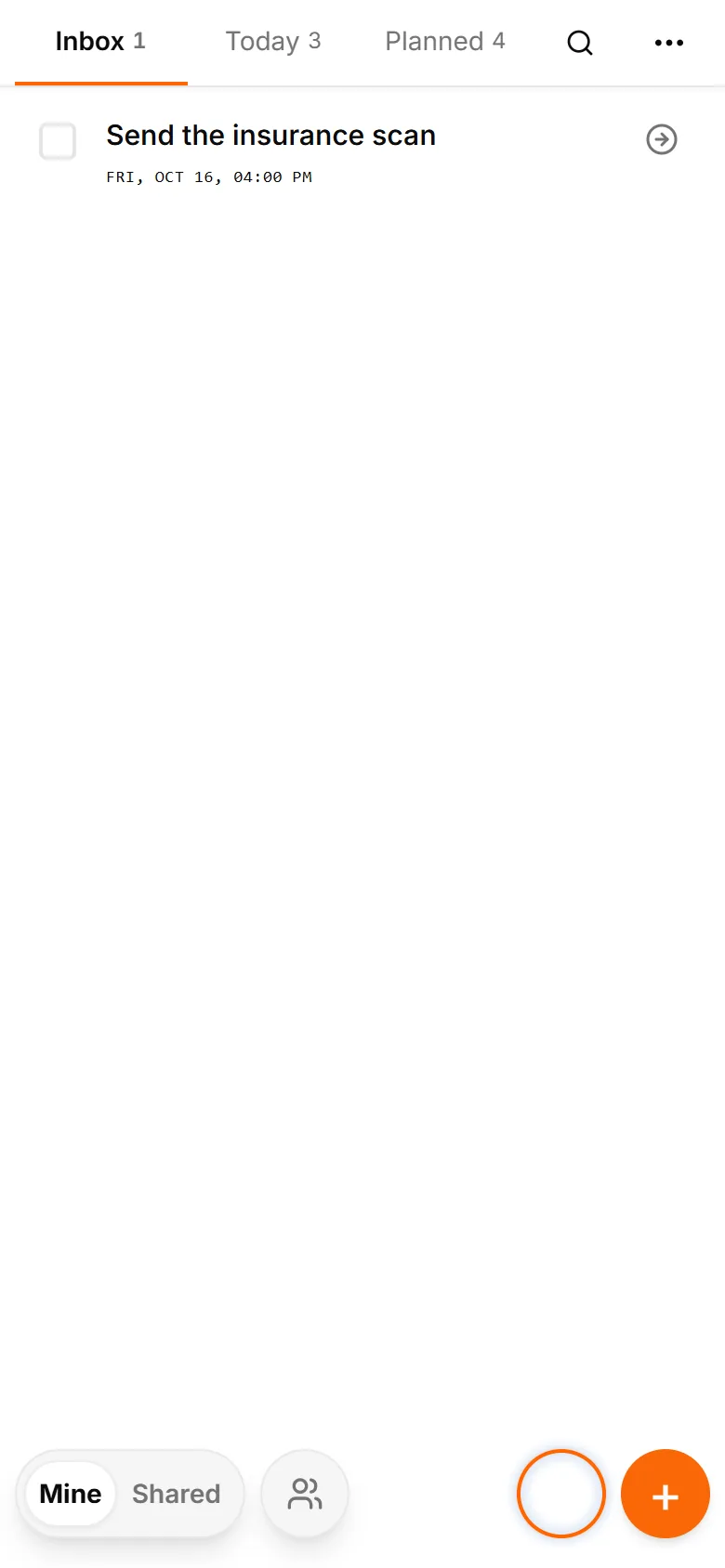
Save to Inbox when you cannot stop to plan. Inbox is a queue to clarify, not a promise to do everything today. During a short review, decide what to do yourself, what needs clarification and what is no longer relevant.
Choose Today for the insurance scan if you intend to send it this evening. The deadline says when it must be finished; planning says when you intend to work on it. Add a reminder only when a signal will help you act. Every saved link does not need its own notification.
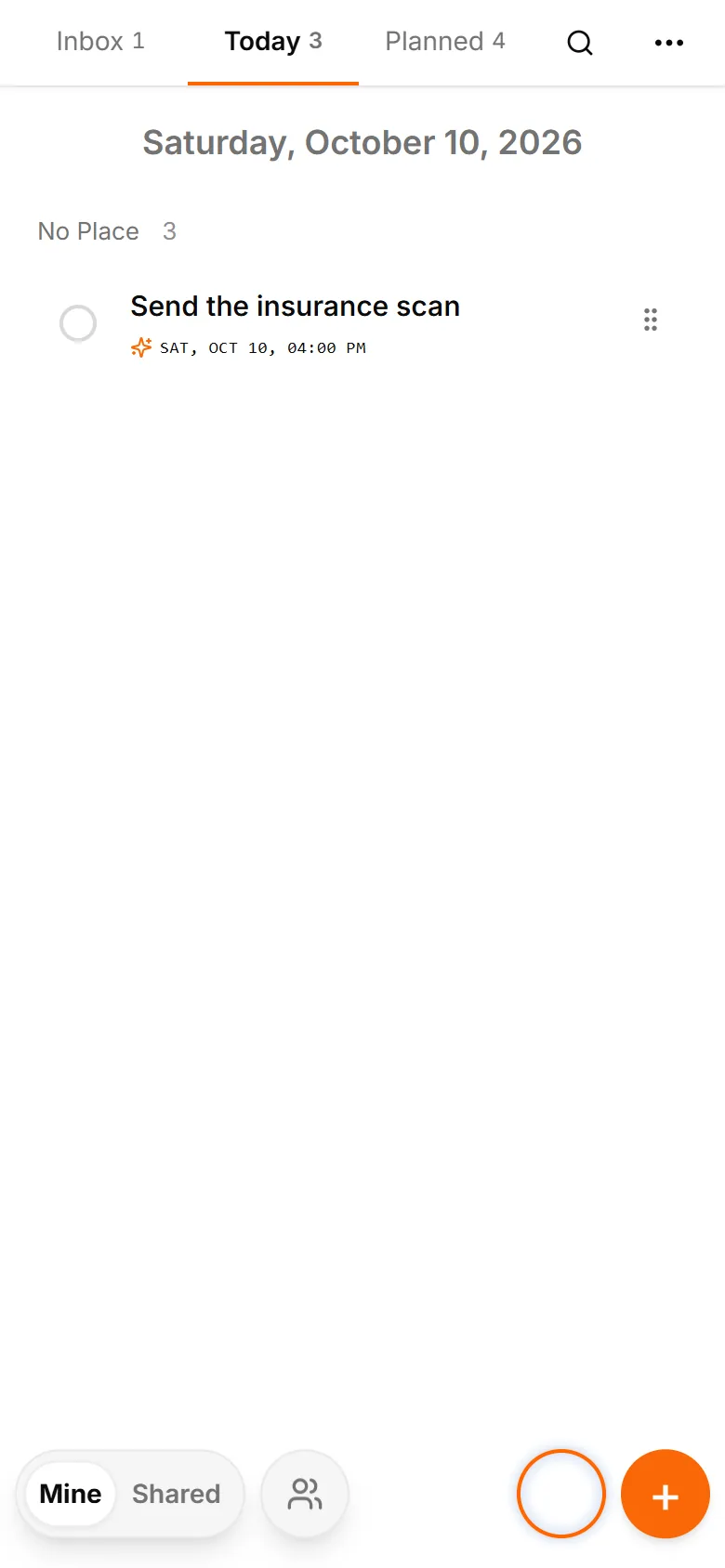
Find the action in your own plan
Open Mine and your Today list. The task stays with your other actions even after the Telegram conversation has slipped down the chat list. Open the card, read its details and send the document. Mark it complete when the action is finished.
If the request changes, edit the task. If you are waiting for clarification, choose appropriate planning and keep the question in its description. A date should describe a useful next step rather than create artificial urgency. This works particularly well for small commitments that do not need a separate project.
Use voice or a photo when that is easier
When a task comes to mind on the move, send a voice message and review the resulting draft. A photo can capture a handwritten note or text in an image. Recognition gives you a starting point; you still check the result. The dedicated voice and photo guides show those workflows in more detail.
Try one real request you have been postponing. Forward it, name the next action and choose when to do it. You will have a commitment you can return to and finish, with the relevant details ready in its card.
Put the action in your plan
Save to Inbox if you cannot plan immediately. Later, open Mine, clarify the next action and choose Today when you intend to work. Planning and a deadline answer different questions. A reminder is optional: use it when a signal will help you act, rather than for every saved link.