AI task assistant for Telegram: drafts, personal memory, and your daily plan
TasksNet · Updated
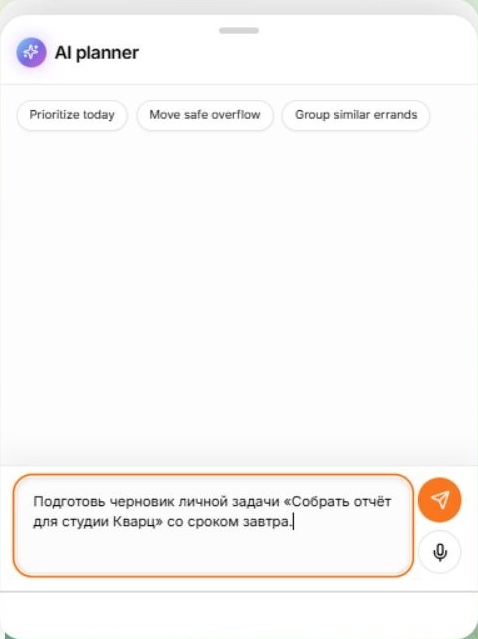
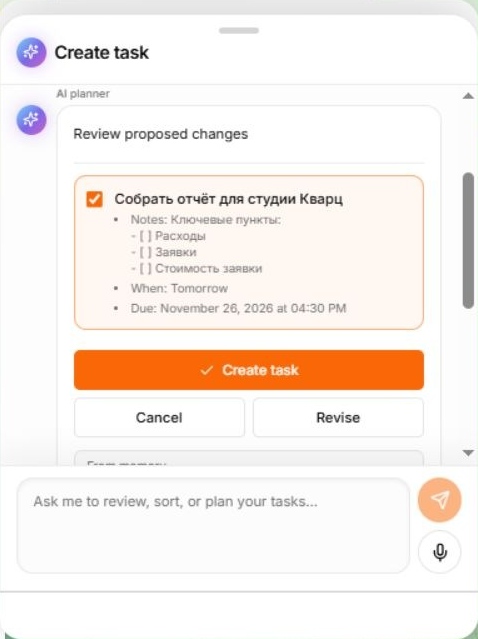
“Draft a personal task called ‘Prepare the Quartz studio report,’ due tomorrow.” In TasksNet, that one sentence produced a task draft with a title, three items to cover in the report, and a deadline of 4:30 p.m. the following day. The assistant took the date from the request and the report details and time from personal memory.
Both walkthroughs use fictional work tasks. An AI task assistant can turn a short request into a draft, fill in saved details, and suggest changes to your daily plan. You review the proposed action before creating a task or applying a change.
Ask AI to draft a task
Open AI Planner in TasksNet and state what needs doing and by when. In the report example, the user supplied only the task name and “tomorrow.” The assistant proposed a Create task action with a title, notes, and a deadline. Check the draft, use Revise to request changes, or choose Create task to confirm.
Save a rule once and reuse it in the next draft
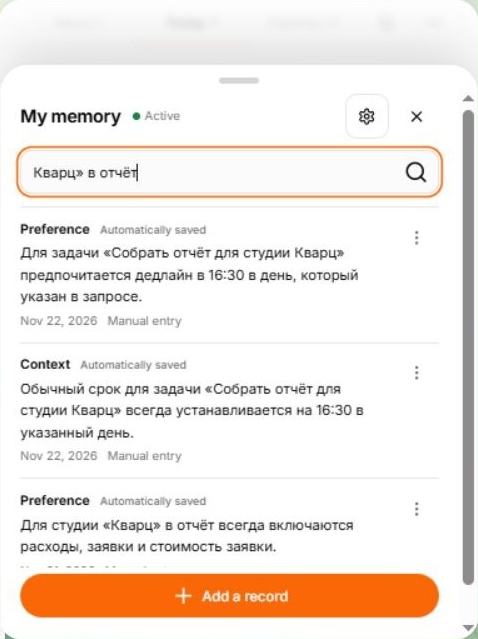
Every Quartz report needs spend, leads, and cost per lead. The deadline time is always 4:30 p.m. Save rules like these in My memory. In Mine, tap the memory icon and open Memory settings → Use personal memory. Then choose Add a record, tie the rule to a specific task or client, and choose Remember.
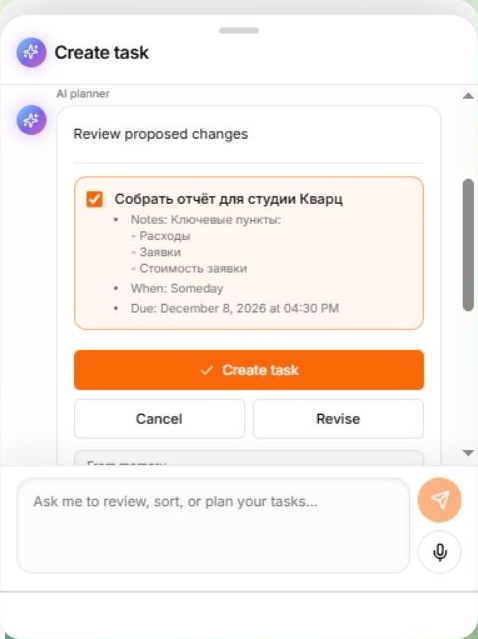
In another request, the user gave December 8 as the date. Due showed December 8 at 4:30 p.m., and the draft notes again included the three report items. If you agree on a different time for one report, state it in the request and check Due before saving.
Set up personal memory in TasksNet
Ask AI Planner to make a plan from saved tasks
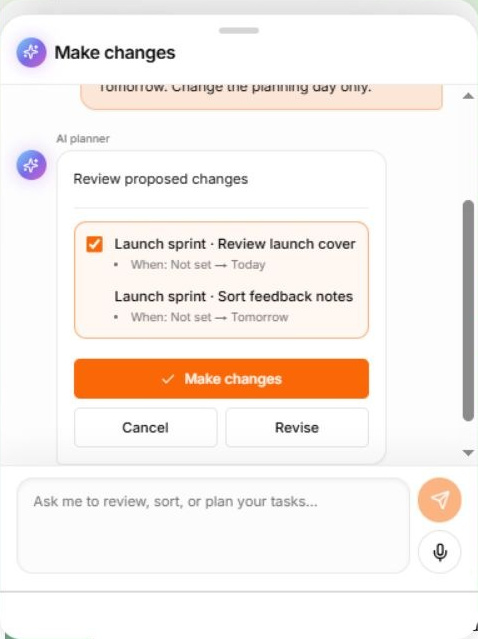
Before announcing a launch, the team needs to review the cover, sort feedback, and send the link. Try this request in AI Planner. “Move the cover review to today and the feedback review to tomorrow. Change the planning day only.” The assistant proposed two changes to When, the field that determines the day you plan to work on a task.
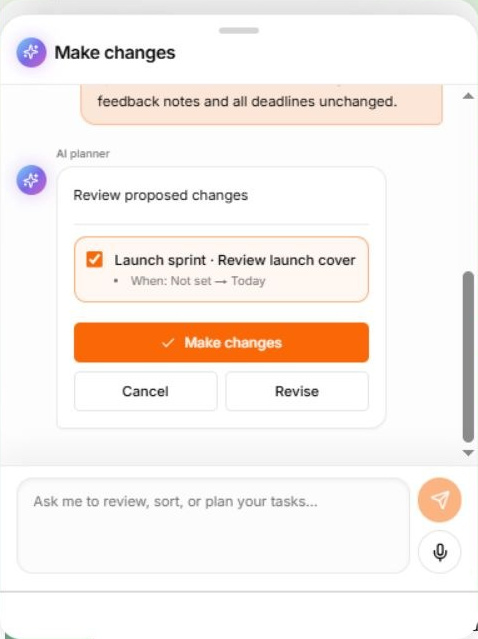
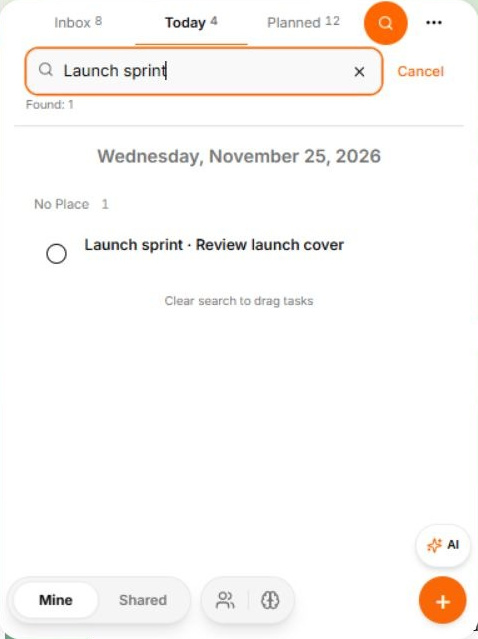
The user then asked to keep only the cover move. The assistant revised the plan, the user chose Make changes, and the cover review appeared in Today after reopening the list. Feedback stayed in Inbox and the deadline for sending the link stayed at 4:30 p.m. Check the planning day and the deadline separately.
Plan your day with AI in Telegram
What can you delegate to an AI task assistant?
Start with one recurring task. Save the details that repeat and name what changed next time. Check the title, notes, and deadline in the draft. For a plan, review the list of proposed changes before applying it.
If you are choosing between an AI agent and an assistant, check when the tool acts and where you can intervene. In these examples, TasksNet prepares the draft, fills in saved details, and revises the plan. You decide which task to create and which changes to save.